How Do I Create Custom Lists from Advanced Analytics and Save To Layout In Analytics?
Related Articles
How Do I Create A Custom List From Advanced Analytics?
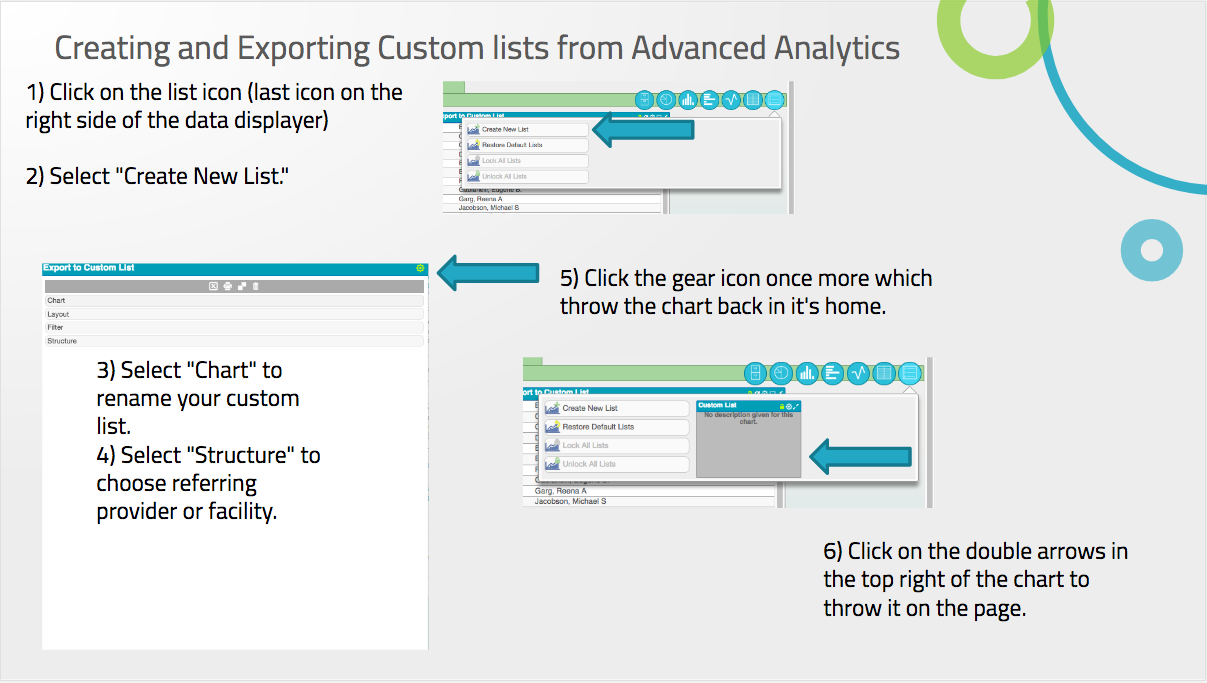
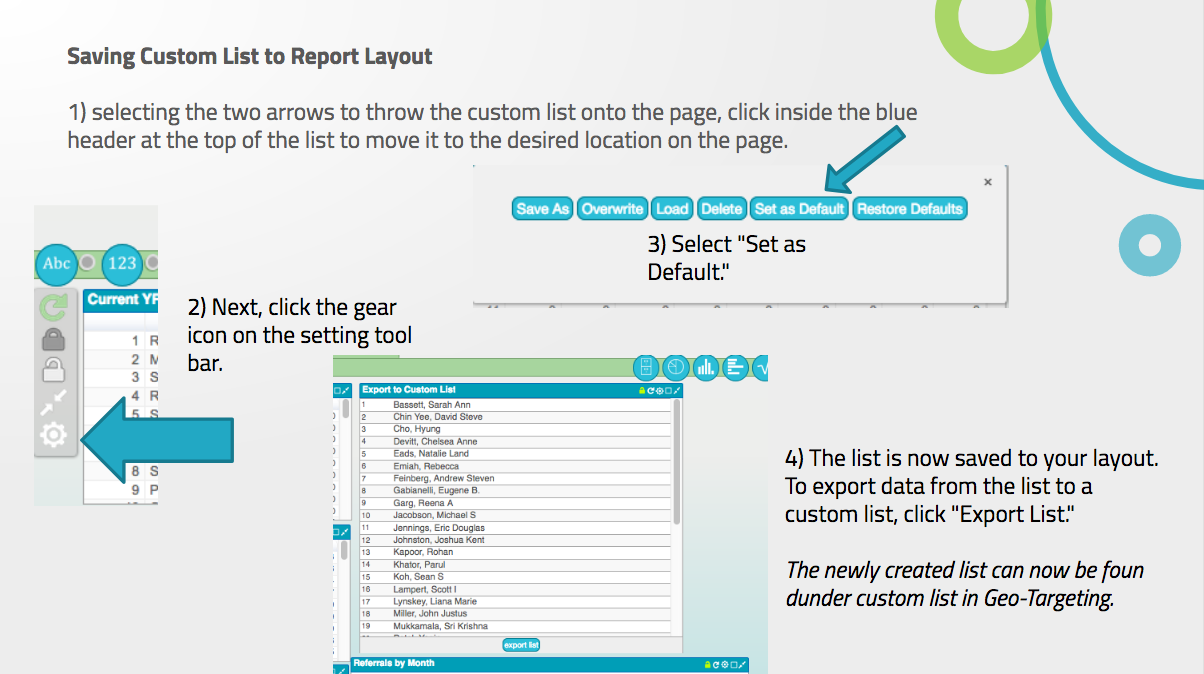
How to Create a Custom List from Advanced Analytics MDreferralPRO users have the ability to export a list from Advanced Analytics into a custom list. A User may export all listed entities or filtered data by selecting the list icon to the far ...
How Do I Access And Toggle Between Layouts In Advanced Analytics?
In Advanced Analytics, users can create and access separate layouts. A layout is simply, a page within one of the sections of analytics. This page can contain the same and/or different charts and graphs from other layouts. Each user account comes ...
What Are Some Examples of Common Filters in Advanced Analytics?
Below are some examples of common filters used in Advanced Analytics Trends- No Relationship, Trends-Provider Relationship, and Trends-Facility Relationship report. Each filter can be used in Trends when accessing the "123" filter in the data ...
How Do I Rebuild Data And Check Data For Changes?
Please note that when directed to Advanced Analytics, the last data rebuild and last data check will reflect in the top left of the screen. A users may reflect these changes manually by accessing the report settings to locate the Rebuild Data and ...
MDreferralPRO Overview, User Manual and Getting Started Guide
MDreferralPRO is an all-in-one business development web-based application and tool that targets referral sources, provides a Customer Relationship Management tool and has predictive analytics. Referral relationships are the key to long-term financial ...